Automatically identify security flaws in your code
Identify vulnerabilities across your codebase with clear explanations, precise locations, and actionable recommendations to help your team fix issues faster.
Supports the languages you use.
Lumstep analyzes 11 languages - JavaScript, TypeScript, Python, Java, Go, C/C++, PHP, Ruby, C#, Kotlin, and Swift - and detects each automatically from your files. Connect a GitHub or GitLab repository once.
- 11 languages scanned, auto-detected by file type
- Framework-aware: Django, Express, Spring, Rails, and Vue misconfigurations included
- Works on GitHub and GitLab from day one
Advanced security checks made accessible.
Security checks are continuously updated to reflect evolving threats and enhanced with AI-assisted improvements, helping maintain broad security coverage across your codebase.
- Continuously updated security checks for evolving threats
- No specialized security expertise
- Covers the most common ways real applications get breached
See how the input reaches the vulnerability.
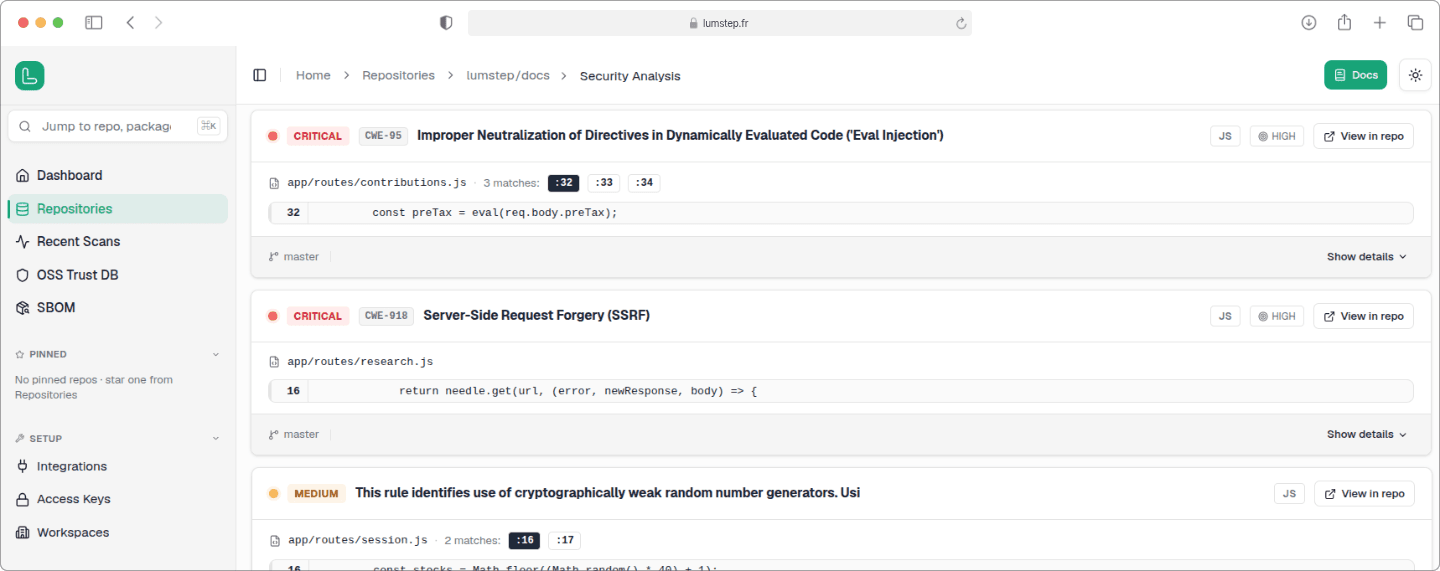
Every finding includes the affected file, line, relevant data flow where applicable, and practical guidance for resolving the issue.
Focus on what matters most.
Every scan puts the findings worth your time at the top. Lumstep weighs each one across several signals, including whether an attacker can actually reach it. So real, exploitable issues lead and low-risk noise settles below. Nothing's hidden; you work a short list instead of a firehose.
- Prioritize the findings that deserve attention first
- Exploitability proven by data-flow analysis, not just severity labels
- Send any finding to Linear in one click
FAQ about static application security testing
What is SAST, and why does it matter?
Static application security testing (SAST) reads your source code and flags security flaws - SQL injection, XSS, and 50+ other vulnerability classes - without running the application. It matters because these are the cheapest bugs to fix early: a flaw caught on the branch is a quick edit, while the same flaw in production is an incident. Lumstep runs SAST on every push, so the check lands while the code is still fresh in the author's mind.
Is code written by AI coding assistants less likely to have these vulnerabilities?
No. AI-generated code can introduce the same vulnerability classes as hand-written code, which is why every push is scanned regardless of who or what wrote it.
Which languages does Lumstep support?
Lumstep analyzes 11 languages - JavaScript, TypeScript, Python, Java, Go, C/C++, PHP, Ruby, C#, Kotlin, and Swift - and detects the right one automatically from your files, including common framework misconfigurations in Django, Express, Spring, Rails, and Vue.
How does Lumstep detect vulnerabilities in my code?
Lumstep applies a security ruleset covering 50+ vulnerability classes, continuously updated for evolving threats and enhanced with AI-assisted improvements. Each finding is pinned to the exact file and line, with the data flow shown where applicable.
What happens when Lumstep finds a vulnerability?
You get the exact file and line, an explanation of the issue, and practical guidance for resolving it. Findings that need further investigation can optionally be sent to Linear as tickets.
How does Lumstep keep false positives down?
Not every suspicious pattern is a real problem. Our analysis distinguishes confirmed, actionable findings from those that don't require attention, so you can spend your time fixing real issues instead of sorting through false positives.
How is Lumstep different from Snyk or GitHub Advanced Security?
Most tools stop at detection: they hand you a list and leave the fixing to you. Lumstep covers code, dependencies, secrets, and SBOM in a single scanner instead of separate products, and acts on what it finds - dependency upgrades arrive as pull requests your team reviews, and code findings can open Linear tickets. GitHub Advanced Security is GitHub-only; Lumstep also works on GitLab.
Is it safe to give Lumstep access to my source code?
Yes. Scans run in isolated, per-tenant sandboxes, your data is encrypted with keys unique to your organization, and nothing is shared across customers.
See what's in your code today.
Free early access. Your first repository is covered in under a minute.